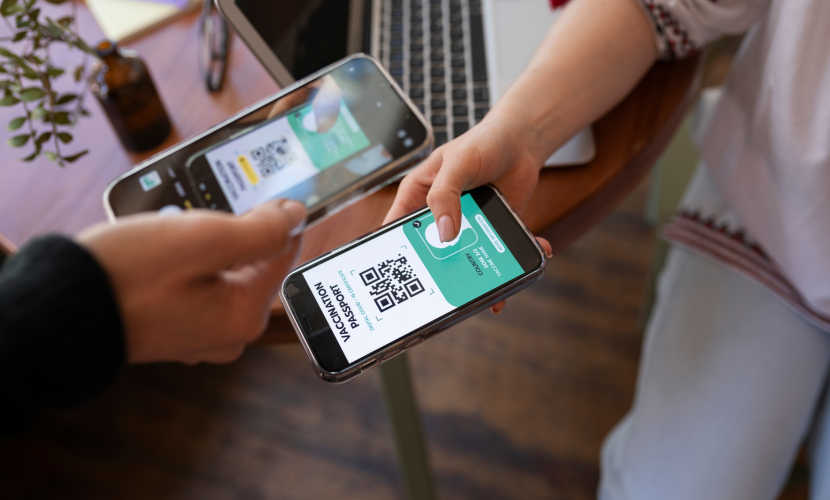
Troubleshooting Common eSIM Activation Issues
Most eSIM activation issues are caused by poor internet connections, software
restrictions, or using the wrong configuration settings. Because eSIMs rely
entirely on digital provisioning, they require stable data communication with your
carrier to install correctly.
1. Installation & QR Code Failures
"QR Code Already Redeemed" or "Invalid Code"
• The Cause: An eSIM profile can generally only be downloaded once. If you
accidentally canceled the setup halfway or changed screens, the server flags the code
as used.
• The Fix: Look in your phone's cellular settings to see if a blank or unnamed profile
was partially installed. If not, you must contact your carrier or eSIM provider to issue
a fresh QR code.
"Unable to Profile" or "Installation Failed"
• The Cause: The download process timed out, or your device lacks an active
connection to process the token.
• The Fix: Ensure you are connected to a strong, stable Wi-Fi network (not a weak
public Wi-Fi). Turn off any active VPN software, as VPNs frequently block the secure
servers used for eSIM provisioning.
2. Signal & Connectivity Issues
eSIM Installed, but Displays "No Service"
• The Cause: The digital line is active on your phone, but it hasn't successfully
registered on a local cell tower.
• The Fix:
1. Turn Airplane Mode ON for 15 seconds, then turn it off to force a network refresh.
2. Go to your eSIM settings and check if Data Roaming is turned ON (this is strictly
mandatory for travel eSIMs like Airalo, Nomad, or Holafly).
3. Change Network Selection from "Automatic" to Manual and manually click on the
local partner carrier listed in your eSIM instructions.
"Locked" or "Unsupported SIM" Notice
• The Cause: Your device contains the correct eSIM hardware, but your phone is
software-locked to your original network provider.
• The Fix: You must contact your primary carrier ( Afrigocall -eSIM) and ask them to
unlock the device. Travel eSIMs will not function on a carrier-locked handset.
3. Setup Step-by-Step Checklists
For iPhone Users (iOS)
• Check EID: Go to Settings > General > About and scroll down to EID. If no number is
listed, your phone does not have an eSIM chip.
• Line Setup: Go to Settings > Cellular. Ensure your new eSIM label is turned ON and
designated for "Cellular Data," while your home SIM is designated for "Default Voice
Line" to avoid roaming charges.
For Android Users (Samsung / Pixel)
• Check Status: Go to Settings > Connections > SIM manager. Make sure the toggle
next to the eSIM profile is switched blue/active.
• Manual Input: If the camera fails to scan your QR code, click "Enter activation
code" instead. Copy and paste the SM-DP+ Address and Activation Code string
provided in your confirmation email
“The Internet is the first thing that humanity has built that humanity doesn’t understand, the largest experiment in anarchy that we have everhad. Cybersecurity is not just about protecting your devices. ”
Why consumer development
Customer Development has tremendous benefits for organizations as it delays investing significant resources into building solutions until there is a proven, justifiable need for them and an assurance that the product will actually benefit the customer.
Global network security
Global network security can refer to a company that distributes security equipment or to the security of networks that span the globe. Global Network Security (GNS) is a distributor of major camera, access control, and cable manufacturers, both brand name and OEM.

Which Devices Support eSIM in 2025
07 Jul 2025
How eSIM Is Changing the Way We Stay Connected
07 Jul 2025

How to Use eSIM When Traveling Abroad
19 Apr 2025